You spent $40,000 on that new sign out front. Maybe more on the buildout. Custom pizza boxes with your logo. The whole nine.
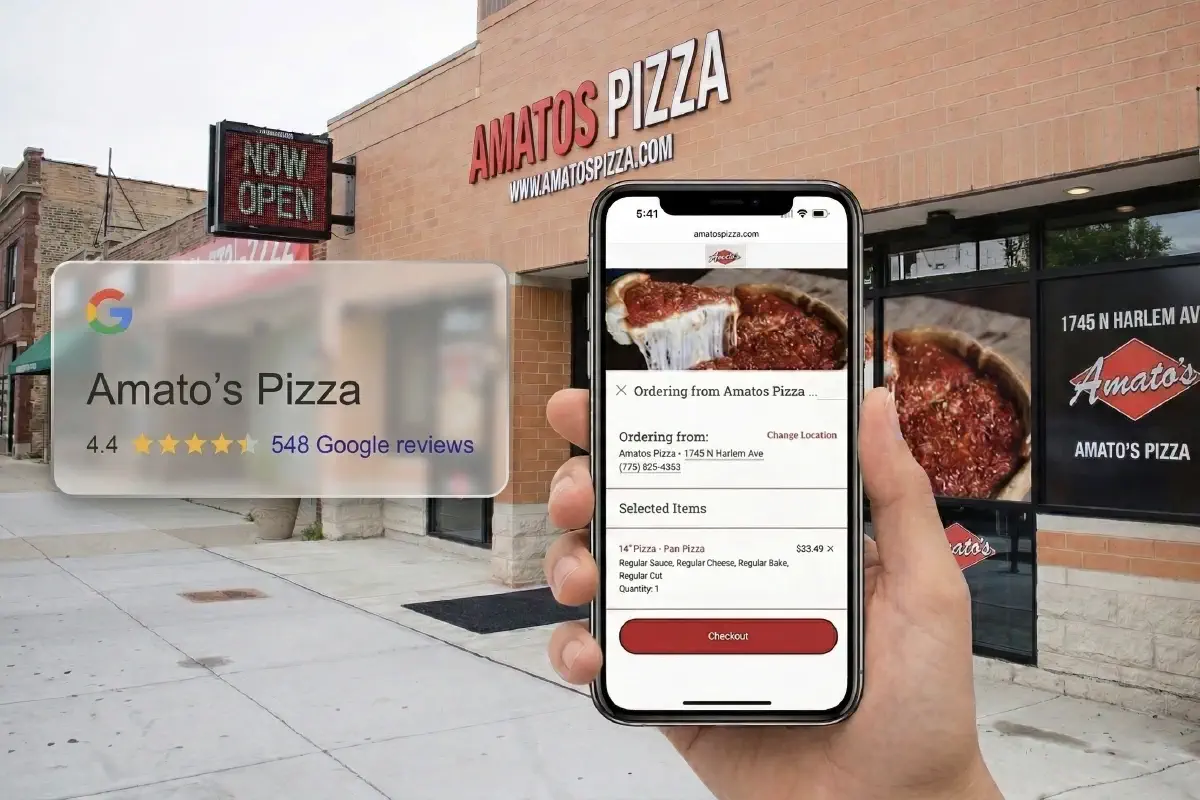
But here's the uncomfortable truth: your Google Business Profile is often the first thing most customers see - not your sign, not your website, not your Instagram. When someone searches "pizza near me" at 7 PM on a Friday, Google decides whether you show up or disappear. And right now, there's a good chance your profile is working against you.
This isn't theory. This is a practical, step-by-step guide to turning your Google Business Profile into the highest-converting storefront your pizza restaurant has ever had. Everything here is something you can knock out this weekend between prep and the dinner rush.
If you want the full picture on how Google search works for restaurants, start with Restaurant SEO: The Complete Guide to Getting Found on Google. This guide zooms in on the single most important piece: your GBP.
Here's what most pizza shop owners get wrong: they think their website is their digital headquarters. It's not. Google Business Profile is.
When someone types "pizza restaurant" into Google, here's what happens. Google shows a map with three results - the Local 3-Pack. Those three businesses get the vast majority of clicks. Your website shows up below, buried under the map, ads, and those three featured restaurants.
If you're not in that 3-Pack, you're essentially invisible to people searching for pizza in your area. Your beautifully designed website doesn't matter if nobody ever gets there.
The numbers back this up. When Taqueria El Tapatio in Santa Clarita, CA optimized their online presence and made it dead simple for customers to find and order from them, they saw a +256% increase in revenue. Fan Tang in Albuquerque achieved a 17x return on ad spend by getting their digital storefront dialed in. These aren't unicorn results. They're what happens when you stop ignoring the place where customers actually find you.
For a deeper dive on dominating the map results, check out How to Win on Google Maps and Get Found Where It Matters.
This sounds obvious. It's not. Inconsistent business information is the #1 reason pizza restaurants get suppressed in local search.
Go to your Google Business Profile right now and check every single field:
• Business name - Use your actual name. Not "Tony's Pizza - Best Pizza in Chicago - Late Night Delivery - Order Now." Google penalizes keyword stuffing in business names. If your legal name is "Tony's Pizzeria," that's what goes there.
• Address - Must match your website, your Yelp, your social media, everywhere. Character for character. "Street" vs "St." matters.
• Phone number - Use a local number, not a call center number. Google uses the area code as a relevance signal.
• Hours - Update them. Including holidays. Nothing tanks your reviews faster than someone driving across town to find you closed.
• Website URL - This one is critical, and we'll get deeper into it below.
Google lets you choose a primary category and additional categories. Most pizza shops set "Pizza Restaurant" as primary and call it done.
Go further. Add every relevant secondary category:
• Pizza Delivery
• Italian Restaurant (if applicable)
• Pizza Takeout
• Restaurant (generic, but helps)
Your primary category carries the most weight, so keep "Pizza Restaurant" there. But those secondary categories expand the searches you can appear for. Someone searching "Italian food delivery" could find you - if you told Google you exist in that category.
Businesses with more than 100 photos get 520% more calls than the average business. That's not a typo. Five hundred twenty percent.
Yet most pizza restaurant profiles have maybe 6 photos - a blurry exterior shot, the menu board nobody can read, and four random customer uploads. That's leaving money on the table.
Here's your weekend photo checklist:
• Hero shot of your best-selling pizza - overhead, natural light, cheese pull if possible
• Exterior shot - daylight, sign clearly visible, helps Google confirm your location
• Interior - dining area, the counter, the vibe. People want to know what they're walking into
• The pizza-making process - dough toss, toppings going on, pizza coming out of the oven. This is content gold
• Your team - people connect with faces. The owner, the cooks, the front-of-house crew
• No stock photos. Google can detect them, and customers definitely can
• Minimum 10 photos, aim for 25+ to start, then add 2-3 per week
• Geotagged - take them at the restaurant with location services on
Google Business Profile supports short videos (up to 30 seconds). A quick clip of a pizza coming out of the oven or your team on a busy night adds personality that photos can't match.
This is the one most pizza shops don't realize is hurting them. Open your Google Business Profile and look at the ordering buttons. Do they send customers to a third-party delivery app - or to your own ordering system?
If those links go to a third-party marketplace, you're paying 15-30% commission on every order that could have been yours free and clear.
Third-party delivery services can sometimes appear as ordering options on your profile. Customers think they're ordering "from you," but the order routes through a marketplace that takes a cut.
Here's what to do:
• Check your profile - Click every ordering button and see where they actually go
• Add your direct ordering link - If you have your own online ordering system, add it as the primary "Order" link
• Request removal of unauthorized third-party links - Google has a process for this, though it can take persistence
For a detailed walkthrough on cleaning this up, read The No-Stress Guide to Cleaning Up Your Google Business Profile Ordering Links. It walks through the exact process.
When your GBP ordering button sends customers to your ordering system instead of a third-party app, several things happen:
• You avoid marketplace commissions and keep more of the margin - no commission fees eating into razor-thin margins.
• You own the customer data - email, order history, preferences. You can market to them again.
• You control the experience - pricing, presentation, upsells, loyalty rewards.
• Your average order value goes up - customers ordering directly tend to order more.
This is where Chowly's Google Food Ordering integration becomes a no-brainer for pizza shops. It turns your GBP "Order" button into a direct, commission-free ordering channel that connects straight to your POS. No middleware, no marketplace cut, no lost customer data.
Think about it: every pizza order that comes through your own link instead of a third-party app saves you $3-8 in commission. If you're doing 30 orders a day through delivery apps, that's $90-240 per day going to someone else. Over a year? That's $33,000 to $87,000 in margin you're handing away.
Google's algorithm weighs three factors for local rankings: relevance, distance, and prominence. Reviews are the single biggest driver of prominence.
Pizza restaurants have a natural advantage here. People are emotional about pizza. They'll rave about a good slice in ways they won't about a salad. Use that.
• Ask at the peak moment - right after the compliment. "That means a lot - would you mind leaving us a Google review?" Most people will.
• Put the link everywhere - on receipts, on table tents, on your pizza box stickers.
• Create a short URL - Google lets you create a short review link in your GBP dashboard. Turn it into a QR code.
• Text the link - if you capture phone numbers through online ordering, a follow-up text with a review link converts well.
Respond to every single review. Positive and negative. Google encourages businesses to respond to reviews, and active response patterns often correlate with stronger local visibility.
For positive reviews:
• Thank them by name
• Mention something specific ("Glad you loved the white pizza!")
• Keep it short and genuine
For negative reviews:
• Respond within 24 hours
• Don't get defensive
• Take it offline: "We'd love to make this right - can you give us a call at [number]?"
• Never argue publicly. Even if they're wrong. Especially if they're wrong.
It's not just about total reviews. Google pays attention to how frequently you're getting new reviews. A pizza shop with 200 reviews that hasn't gotten a new one in 6 months will rank below a shop with 80 reviews that gets 5 new ones every week.
Consistency beats volume. Set a goal: 5 new reviews per week. That's one per day during the work week. Totally achievable.
Google Posts are short updates that appear directly on your Business Profile. They're free, they expire after 7 days, and almost nobody in the pizza industry uses them consistently.
That's an opportunity.
• Weekly specials - "This week's special: Buffalo Chicken Pizza, $14.99. Order online for pickup!"
• New menu items - Launched a new calzone? Post about it with a photo.
• Events - Trivia night, live music, game day specials.
• Behind-the-scenes - Your dough recipe turned 10 years old? That's a post.
• Offers - Google Posts support offer-type posts with start/end dates and promo codes.
Minimum once a week. Twice is better. Google rewards active profiles with better visibility. A profile that posts regularly signals to Google that this is an active, engaged business.
Each post should include:
• A photo (required for engagement)
• A call-to-action button (Order Online, Learn More, Call Now)
• 150-300 words of text
• Your primary ordering link
Google Business Profiles have a Q&A section where anyone can ask questions - and anyone can answer them. Including your competitors. Including people who've never been to your restaurant.
Take control by seeding your own Q&A. You can ask and answer your own questions. It's not gaming the system - Google explicitly allows and encourages this.
• "Do you offer gluten-free pizza?" (Whether yes or no, answer it)
• "What's the delivery radius?"
• "Do you have outdoor seating?"
• "Can I order online for pickup?"
• "Do you cater?"
• "What's your most popular pizza?"
• "Do you have vegan options?"
Answer each one thoroughly. Include a link to your ordering page where relevant. These Q&As show up prominently on your profile and can capture long-tail searches.
Google offers a bunch of attributes for restaurant profiles. Fill out every single one that applies:
• Dine-in / Takeout / Delivery
• Outdoor seating
• Wi-Fi
• Wheelchair accessible
• Good for groups
• Family-friendly
• Serves beer and wine
• LGBTQ+ friendly
These attributes directly influence whether you appear in filtered searches. When someone searches "pizza restaurant with outdoor seating near me," you'll only show up if you've marked that attribute.
Google lets you add your menu directly to your GBP. Do it. Every item, every price. This makes your profile a one-stop shop - customers don't need to leave Google to decide what they want. They search, they browse your menu, they click "Order," they're on your site.
For the complete checklist of everything to optimize on your profile, see Get Found First on Google: Restaurant SEO Checklist for Your Business Profile.
You don't need to be an SEO expert or hire a marketing agency. Here's the exact order to tackle this over a weekend:
1. ✅ Audit all business information - name, address, phone, hours
2. ✅ Set your primary and secondary categories
3. ✅ Check and fix your ordering links (remove third-party, add direct)
4. ✅ Fill out all attributes
5. ✅ Add your full menu
1. ✅ Take 15-20 new photos (food, interior, exterior, team)
2. ✅ Rename photo files with descriptive names
3. ✅ Upload all photos
4. ✅ Shoot 2-3 short videos
1. ✅ Seed 5-7 Q&A entries
2. ✅ Write and publish your first Google Post
3. ✅ Create your short review link and QR code
4. ✅ Print QR codes for receipts, table tents, pizza boxes
5. ✅ Respond to every existing review (start from the most recent)
1. ✅ Respond to new reviews within 24 hours
2. ✅ Publish 1-2 Google Posts per week
3. ✅ Add 2-3 new photos per week
4. ✅ Ask happy customers for reviews (goal: 5/week)
Most pizza restaurants have a GBP that's 30% complete. Maybe they claimed it, added their hours, and forgot about it. By executing this checklist, you're jumping into the top 10% of optimized profiles in your area.
The difference is real. Restaurants that fully optimize their Google Business Profile and connect first-party ordering consistently see:
• More impressions - appearing in more searches
• More clicks - converting searchers into visitors
• More direct orders - keeping the full margin instead of paying marketplace commissions
• Better review scores - because you're actively managing your reputation
Taqueria El Tapatio didn't have a massive marketing budget. They optimized their digital presence, made it easy for customers to order directly, and saw +256% revenue growth. Fan Tang achieved 17x ROAS by getting their digital storefront right. The playbook isn't complicated. It's just that most restaurants haven't done the work.
If you're reading this thinking "I don't have time to manage all of this on top of running a pizza shop" - that's exactly the problem Chowly solves.
Chowly's platform connects your Google Business Profile directly to your POS, turning the "Order" button into a commission-free, first-party ordering channel. Your online orders flow straight into your kitchen system. No tablet juggling, no manual entry, no lost tickets.
Beyond ordering, Chowly's AI-powered platform handles the digital marketing that drives people to your profile in the first place - from search optimization to conversion tools to loyalty programs that keep customers coming back. It's 21 products built specifically for independent restaurants, all feeding into one system.
The operators who are winning right now are the ones who treat Google as their primary storefront and own the customer relationship from search to order to repeat visit. That's the whole game.
• Your Google Business Profile is your most important storefront - more people find you through Google than through your physical sign, website, or social media combined
• Fix your ordering links first - third-party delivery apps may be hijacking your GBP ordering buttons, costing you 15-30% per order
• Photos drive calls - some studies show businesses with 100+ photos get 520% more calls. Take 15-20 this weekend and add 2-3 weekly
• Reviews are your ranking rocket fuel - aim for 5 new reviews per week with consistent responses to every one
• Google Posts are free marketing - post weekly specials, new items, and behind-the-scenes content at least once a week
• Control your Q&A - seed 5-7 common questions with thorough answers before someone else answers them wrong
• You can do all of this in one weekend - follow the Saturday-Sunday game plan above, then maintain with 15 minutes per day
• Restaurants that optimize their GBP and own their ordering see transformative results - like Taqueria El Tapatio's +256% revenue and Fan Tang's 17x ROAS
Most changes to your GBP appear within 24-48 hours, though some edits (like name changes or address updates) may take up to a week as Google verifies them. Photos typically appear within 24 hours. The ranking impact of optimizations builds over weeks, not days - expect to see meaningful movement in local search results within 30-60 days of consistent optimization.
Yes - each physical location should have its own Google Business Profile. This is critical for multi-location pizza restaurants. Each profile needs unique photos, unique reviews, and location-specific posts. Don't copy-paste the same content across locations. Google rewards location-specific relevance, so the more each profile reflects its individual neighborhood and customer base, the better each one will rank.
Go to your GBP dashboard, navigate to the "Food Ordering" section, and look for links you didn't add. You can request removal of unauthorized third-party links through Google's support process. For a complete step-by-step walkthrough, read Cleaning Up Your Google Business Profile Ordering Links. The key is replacing those links with your own direct ordering URL so customers always land on your system first.
Google hasn't confirmed that Posts directly influence ranking, but the circumstantial evidence is strong. Active profiles consistently outrank inactive ones, and Posts are one of Google's primary signals that a business is active and engaged. More importantly, Posts drive direct actions - clicks, calls, orders - and those engagement signals absolutely do influence rankings. At minimum, it's free marketing real estate on your profile. There's no reason not to use it.
Fix your ordering links. If your "Order" button sends customers to a third-party delivery marketplace instead of your own ordering system, you're paying 15-30% commission on orders that could have been 100% yours. That's the single highest-ROI change you can make today. Everything else - photos, reviews, posts - builds on top of a profile that actually sends customers to you, not to a middleman.