5 Proven Restaurant Website Upgrades for 2026 That Turn Traffic Into Orders

Three times as many customers now prefer ordering directly from restaurants over third-party apps [1], making your digital storefront far more than a business card.
Your digital storefront is your most critical sales tool.
Yet many restaurant websites leave easy revenue on the table. The average bounce rate sits at 62.5%1, with 33% of hungry diners abandoning sites because of confusing navigation [1]. Another 36% give up on ordering entirely when websites aren't mobile-friendly enough [2].
Those numbers map directly to lost orders.
Restaurant operators face the business reality: 65% of customers go directly to restaurant websites to book tables [2], while 57% of food orders happen on mobile devices [1]. When your digital storefront doesn't convert, you're handing profit to third-party platforms that charge 20-30% per order.
The stakes get higher when you realize most visitors abandon pages that take longer than three seconds to load [1]. That means technical website flaws cost you customers before they even see your menu.
Here's what we'll fix: the five most damaging restaurant website design flaws that turn hungry browsers into lost revenue, and show you exactly how to build a digital storefront that converts visitors into paying customers instead of sending them to your competition.
How the Chowly Platform Helps You Implement All 5 Upgrades Faster
Chowly’s Marketing Website is is built to support the same fundamentals this article covers: mobile-first layouts, fast load times, direct online ordering, and SEO structure that helps pages rank for local and dish-level searches.
In the Two Eggs! Chowly Platform case study, the restaurant launched an optimized marketing website as part of their setup and reported +53% growth in first-party sales, $64,351 saved annually in marketplace commissions, and an +11.3% increase in average basket size [29].
For independent restaurant operators prioritizing direct orders, a website builder that includes ordering, menu sync, and structured data reduces rebuild cycles and tool stacking [30].
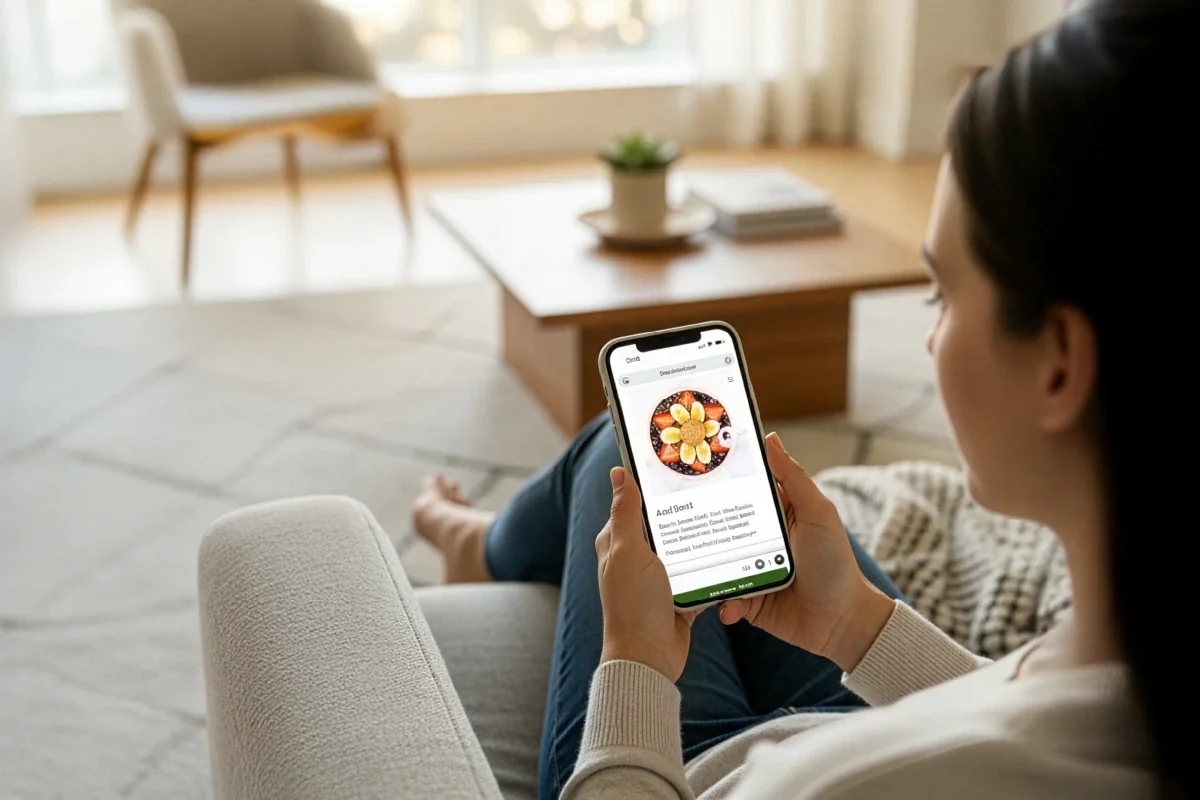
Upgrade 1: Build a Mobile-First Experience That Converts
A mobile-first website captures the majority of ordering-intent traffic because most visits now happen on phones…
Consider this: 68% of all restaurant website visits happen on mobile devices, yet 46% of restaurant websites still fail basic mobile usability tests [1]. That gap represents a massive blind spot costing you direct orders every single day.
The disconnect is staggering. While your customers search for "restaurants near me" on their phones during lunch breaks, commutes, and evening meal planning, nearly half of restaurant websites force them into pinching, zooming, and struggling through broken mobile experiences.
Mobile usability determines whether a guest completes an order. When your mobile experience fails, hungry customers don't wait around, they tap the back button and order from whoever makes it easy.
Mobile-first design for restaurant websites
Mobile-first design means building your restaurant website for smartphones first, then adapting it for larger screens. Google now uses mobile-friendliness as a ranking factor, which means non-mobile-optimized sites get pushed down in search results where hungry customers will never find them [1].
That's a problem you can't afford.
The core principles that separate converting mobile sites from abandoned ones:
• Responsive images - Photos that automatically resize based on screen dimensions
• Thumb-friendly navigation - All important elements must be easily tappable with a thumb in the center of the screen
• Simplified menu structure - Navigation condensed to essential categories
• Fast loading times - Pages optimized to load in under 3 seconds on mobile connections
Modern restaurant website builders like Wix, Squarespace, and specialized platforms such as BentoBox automatically implement these mobile-first principles. But here's the catch: simply using a template isn't enough.
Customizations must preserve mobile functionality. The moment you add a custom element that breaks mobile experience, you're back to driving away the majority of your potential customers. Every change needs to pass the thumb test: a guest should be able to browse, choose, and order with one hand.
Common mobile UX issues on restaurant sites
Even with mobile-optimized templates available, restaurant websites keep making the same costly mistakes that drive hungry customers straight to your competition.
Tiny, unreadable text ranks as the worst offender. 57% of restaurant sites use font sizes below the recommended 16px minimum for mobile screens [1]. When customers have to pinch and zoom just to read your menu, 71% abandon the site immediately [2].
That's not browsing, that's frustration.
Slow-loading images create the second major roadblock. High-resolution food photography looks stunning, but unoptimized images push page load times beyond 8 seconds on average. Since 53% of mobile visitors abandon sites that take longer than 3 seconds to load [2], your beautiful food photos are actually costing you orders."
Difficult tap targets turn ordering into an exercise in finger precision. Critical buttons like "Order Now" or "Make Reservation" need to be at least 44×44 pixels to work properly, yet 62% of restaurant websites use smaller buttons that increase error rates [1]. When customers can't easily tap what they want, they give up.
Pop-ups that hijack the mobile experience continue sabotaging restaurant sites. Age verification forms and newsletter signups that appear immediately cause 74% of mobile users to leave without completing their intended action [1]. You're blocking the path between hunger and ordering.
PDF menus remain the most damaging mobile mistake. 89% of users struggle with PDF files on mobile devices [3], they require downloading, don't display properly, and force customers to pinch and zoom through multiple pages just to see what you serve.
Every one of these problems sends potential customers to third-party apps that charge you 20-30% commission per order.
Impact of poor mobile design on online orders
Poor mobile design creates a cascade of business problems that compound over time. Restaurants with mobile-optimized websites capture 42% more online orders compared to those struggling with mobile issues [4], a difference that translates directly to revenue growth or stagnation.
The ordering funnel breaks down at predictable points when mobile design fails:
Sites loading over 5 seconds see a 90% higher abandonment rate during checkout [3]. Customers who make it to your ordering page but can't complete the transaction represent the most expensive type of lost sale, they were ready to buy.
Restaurants using mobile-friendly menus instead of PDF downloads see a 58% increase in completed orders [5]. The difference isn't just user experience, it's whether hungry customers can actually place an order or give up in frustration.
Mobile-optimized "Order Now" buttons with proper sizing and placement boost conversion rates by 34% [5]. This improvement happens because customers can actually tap the buttons without fighting their phone screen.
For independent restaurants competing against major chains with million-dollar mobile apps, these website flaws create an uneven playing field. Third-party delivery platforms understand this reality, they capitalize on poor restaurant websites by offering consistently smooth mobile experiences, then charge 30% commission per order [5] for the privilege.
The opportunity cost is massive: 76% of diners say they would order directly from restaurants more often if the mobile experience matched third-party apps [5]. These customers want to give you their business directly, but only if your digital storefront works as well as your competition's.
Restaurant operators can diagnose mobile problems using Google's Mobile-Friendly Test tool, which identifies specific issues preventing conversions. Modern restaurant website builders solve most mobile optimization problems automatically, making the technical fixes simpler than the business impact suggests.
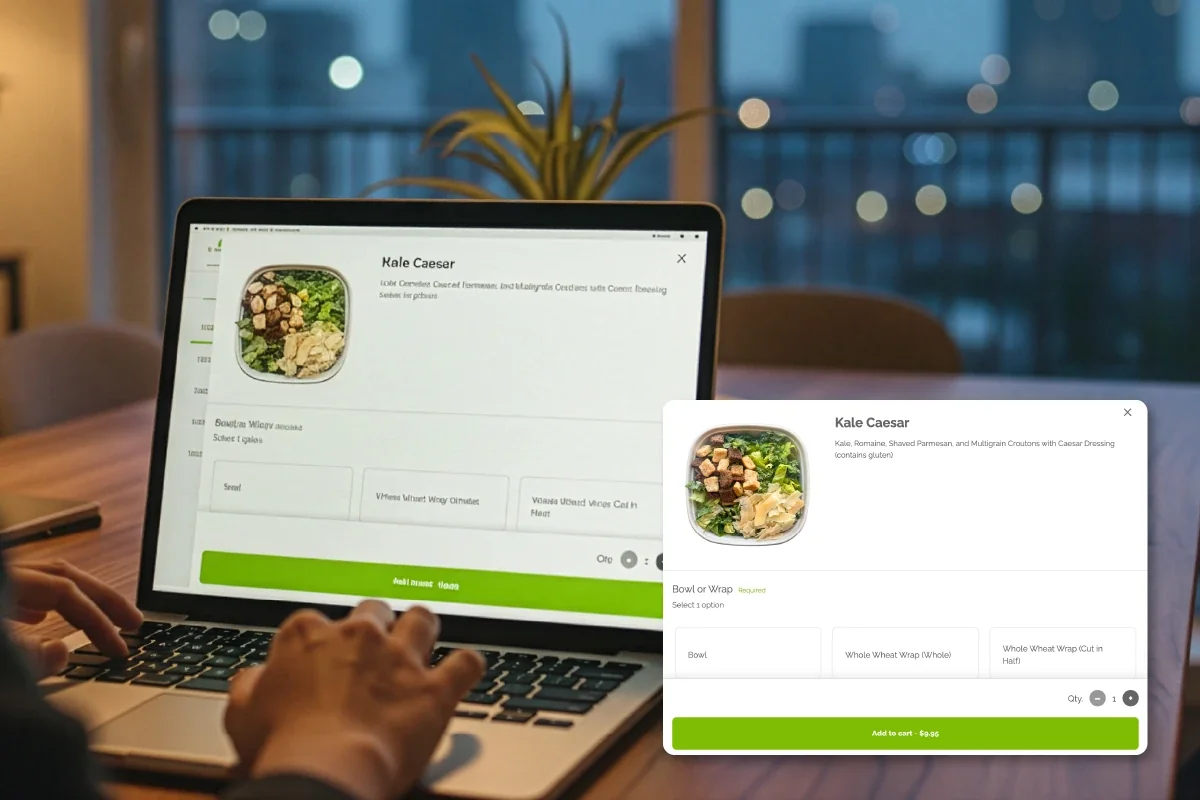
Upgrade 2: Make First-Party Ordering Your Primary Website Conversion Path
If your website defaults to marketplace ordering or drives customers to apps that charge high commissions, you’re leaking profit, losing guest data, and weakening repeat business. Many diners prefer ordering directly from restaurants rather than through delivery apps, but when the path on your site funnels them back to those apps, your margin and customer ownership suffers.
Every third-party order can carry commission fees as high as 15–30% per order [3]. Those fees erode ticket profitability and reduce what you can reinvest into staff, restaurant quality, or local marketing. Meanwhile, many guests prefer to place orders directly through a restaurant’s website or app, and controlling that experience deepens loyalty and keeps more profit on your books [5].
When guests order direct, you also retain valuable first-party data. Direct ordering captures customer information you can use for segmentation, promotions, and loyalty — data that third-party platforms generally withhold or restrict [6]. Operators prioritizing first-party ordering often see higher repeat behavior and better lifetime value because they can tailor offers, rewards, and communications directly to a growing customer base [7].
Why this matters
• Restaurants lose significant profit to marketplace commissions on third-party orders [3].
• A growing share of diners now prefer to order directly from restaurant websites or apps [4].
• First-party ordering builds guest data that improves repeat frequency and customer lifetime value [6].
What a first-party default on your website includes
• Persistent and prominent Order Online button on every page linked to your own ordering system [8].
• A seamless first-party checkout that works smoothly on mobile and desktop.
• Tools to capture email/SMS and opt-in for loyalty or promotions at checkout.
• Retention pathways that let you engage guests after the first order.
Feature comparison: First-party vs third-party ordering
| Feature | ✅ First-Party | ❌ Third-Party | |
| Guest data access | Yes | Limited or no | |
| Fees per order | Lower, potentially commission-free | High commissions (15–30%) [3] | |
| Brand experience control | Full | Limited | |
| Custom promotions | Flexible | Restricted to platform rules | |
| Loyalty building | Owned and actionable |
|
How to use third-party without letting it run your business
Third-party can stay as an incremental channel for reach. The operational rule is simple: make first-party the default path on your website, then use third-party for discovery and occasional fill-in volume.
Where Chowly fits
The Chowly Platform is built to make first-party ordering the primary growth channel by connecting your marketing website, online ordering, menu sync, and retention tools in one system.
• Marketing Website [9]
• Online Ordering [8]
• Two Eggs! case study [29]
Third-party apps can help with discovery, but they quietly eat 15–30% of every order and limit your access to guest data. Making first-party ordering your default keeps margins higher, gives you customer ownership, and drives stronger repeat business. Use marketplaces for reach, but build your growth around direct orders [28].
Upgrade 3: Surface Your Order Button Everywhere
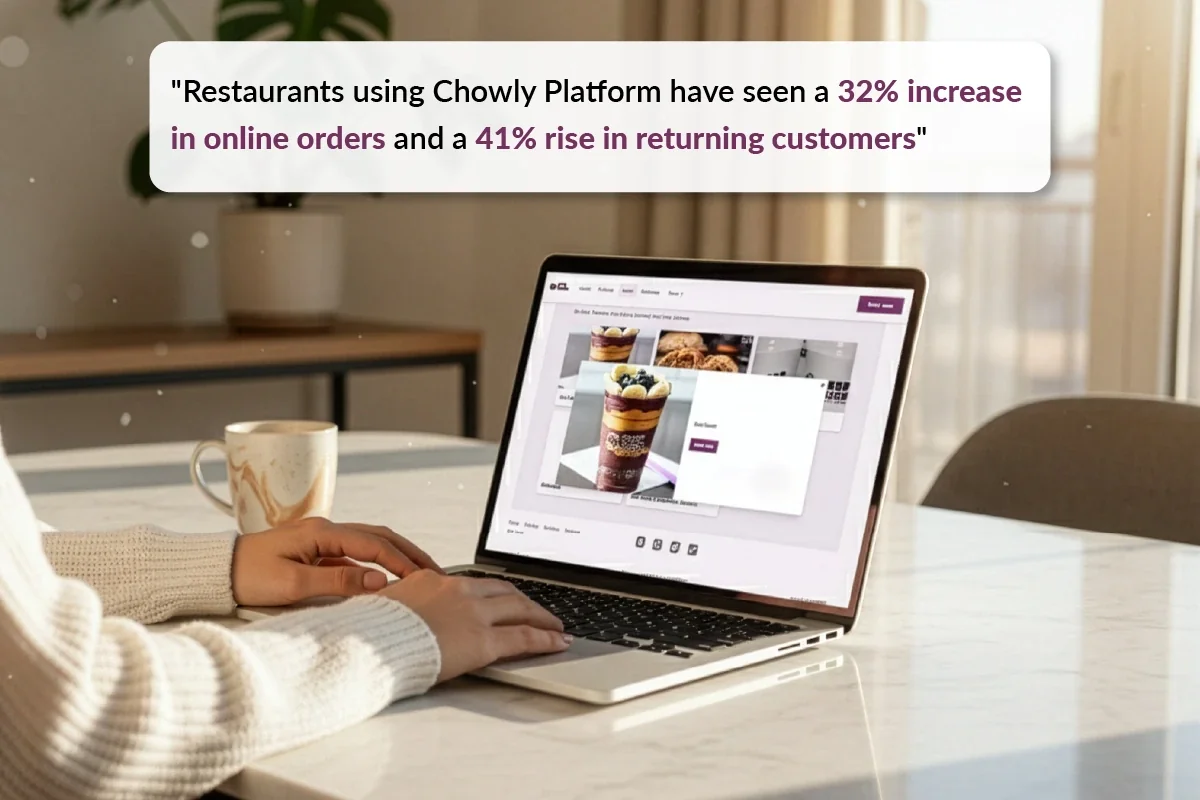
"Restaurants using Chowly Platform have seen a 32% increase in online orders and a 41% rise in returning customers"
— Chowly, Restaurant marketing website builder platform with proven performance metrics
"Restaurants using Chowly Platform have seen a 32% increase in online orders and a 41% rise in returning customers" — Chowly, Restaurant marketing website builder platform with proven performance metrics
Your website might have perfect mobile design and a stunning menu, but none of that matters if customers can't figure out how to actually place an order.
The path from browsing to buying breaks down at a single point: poorly positioned "Order Online" buttons that hungry customers simply can't find. This design oversight seems minor, yet it silently destroys conversion rates regardless of how appealing your food looks or how fast your pages load.
Most restaurant operators focus on getting traffic to their website, then accidentally hide the one button that turns visitors into paying customers.
How poor CTA placement kills conversions
Your "Order Online" button might as well be invisible if customers can't find it. When CTAs get buried at the bottom of pages or lost in cluttered layouts, hungry visitors simply give up, 75% report that bad online ordering experiences prevent them from placing orders altogether [10].
The issue is structural, not cosmetic.
Most restaurant websites commit the same fundamental error: they place ordering buttons before establishing value, before building trust, before answering the basic questions every customer has [11]. Visitors scroll past these premature CTAs, training themselves to ignore subsequent buttons throughout your site.
• What problem do you solve?
• Is this relevant to me?
• Why should I trust you? [11]
When your CTA appears before addressing these questions, your conversion path breaks. Adding a call-to-action button instead of a text link can increase conversion rates by 28% [12], but only when positioned correctly.
The "one-and-done" mistake compounds this problem. Many restaurants place a single CTA at the top of their homepage and nowhere else. Once customers scroll past it while researching your menu and location, they've lost their path to ordering [13].
Best practices for placing 'Order Online' buttons
Smart restaurant websites follow these placement strategies:
Strategic positioning matters more than design. Your "Order Online" button belongs in your navigation bar [10], above the fold, and at logical decision points throughout longer pages. Use contrasting colors that make the button impossible to miss [13].
Multiple placement points guide users through their journey. Include CTAs at logical decision points without being pushy [13]. When customers finish reading your story or browsing your menu, the ordering button should reappear exactly when they're ready to convert.
Action-oriented language drives results. Restaurant CTAs perform best with direct commands: "Order," "Book," "Reserve" [10]. Adding "Now" creates urgency that pushes customers toward immediate action [14].
Limited competing options prevent decision paralysis. Maintain a 1:1 attention ratio on key landing pages [15], one primary action for every page. Multiple competing CTAs confuse visitors and kill conversion potential [13].
Clear visual hierarchy makes your CTA prominent through size, color, and whitespace without overwhelming the page [16]. Test different variations to find what converts best with your specific customers [12].
Persistent visibility across all pages ensures customers always have a clear path to ordering [10]. High-performing restaurant websites maintain consistent CTA placement throughout the entire user journey.
| Effective CTA Placement | Ineffective CTA Placement | |
| Above the fold with proper context | Hidden below multiple scrolls | |
| Multiple CTAs at logical decision points | Single CTA that disappears after scrolling | |
| Contrasting colors that stand out | Blends into background design | |
| Action-oriented, urgent language | Vague directives ("Click Here") | |
| Appears after establishing value | Appears before building trust | |
| Consistent placement across all pages | Inconsistent location between pages | |
Examples from top restaurant website templates
The best restaurant website templates demonstrate how strategic CTA placement directly impacts ordering behavior.
Logical conversion flow feels natural, not pushy. Effective templates place CTAs where they feel like the obvious next step [11]. When structure works correctly, users stay longer, scroll deeper, and build trust naturally before clicking.
Mobile ordering optimization keeps buttons accessible. Modern templates prioritize thumb-friendly ordering buttons that remain fixed during mobile scrolling [10]. The ordering function stays visible regardless of how far customers scroll.
Streamlined order pages eliminate distractions. The best templates remove unnecessary navigation on order-focused landing pages, providing clear "ORDER ONLINE," "BOOK A TABLE," or "VIEW MENU" options without competing elements [15].
For independent restaurants competing against major chains and third-party platforms, proper CTA placement can mean the difference between capturing direct orders or losing them to commission-based alternatives. When your "Order Online" button is properly positioned, visible, and contextually relevant, it becomes a conversion tool instead of a design afterthought.
Upgrade 4: Speed Up Your Site to Capture More Orders
Every second of delay on your restaurant website costs you orders. 53% of mobile users abandon sites that take longer than three seconds to load [17], and a one-second delay in page load time decreases conversions by 7% [18].
For restaurants, this creates a perfect storm of lost revenue.
Why speed matters for restaurant website performance
Website performance hits three business metrics that determine whether hungry customers find you or your competition. Google made page speed an official ranking factor, slower sites get buried in search results where potential diners will never see them [19].
Customer patience online is razor-thin, especially when hunger is involved. Studies show 47% of consumers expect pages to load in 2 seconds or less, with 40% abandoning sites that take longer than 3 seconds [18]. But restaurant customers are different, they're actively uncomfortable, searching for immediate relief, and have zero tolerance for delays.
Speed directly impacts your conversion funnel. A 100ms increase in page load time led to a 1% decrease in revenue for Amazon [20]. For restaurants, each moment of delay means fewer completed orders. Websites loading under 2 seconds achieve conversion rates 2.5 to 3 times higher than those loading in 5 seconds [21].
The psychology is brutal: hunger reduces patience and decision-making tolerance [19]. Physical discomfort makes customers more likely to abandon any task requiring waiting. A slow restaurant website creates the worst possible combination, hungry customers forced to wait for technology.
Common causes of slow restaurant websites
Restaurant websites face specific speed challenges that other businesses don't. Understanding these problems helps you fix them systematically:
Unoptimized food photography kills performance faster than any other factor. Restaurant sites need appetizing visuals, but a single uncompressed image can be several megabytes. Menu pages with 10-20 high-resolution photos can take 10-30 seconds to load on mobile networks [22]."
Excessive server requests create cascading delays. Every page element, images, scripts, stylesheets, fonts, requires a separate server request. Older restaurant websites might make fifty or more requests for a single page load, with each request adding latency [19]."
Cheap shared hosting forms the foundation of most speed problems. Small restaurants often start with budget hosting because it seems cost-effective. But shared hosting means your site shares server resources with hundreds of other websites. When one gets busy, your restaurant's site crawls, even with no traffic of your own [22].
Third-party integrations frequently escape scrutiny while destroying performance. Social media widgets, analytics trackers, reservation systems, and ordering platforms all load from external servers. When those services respond slowly, they drag down your entire site [22].
| Fast Website (Under 2s) | Slow Website (Over 5s) | |
| 2.5-3x higher conversion rate | 38% bounce rate | |
| Ranks higher in search results | Lower visibility in searches | |
| 76% of diners prefer to order directly | Lost orders to third-party platforms | |
| Builds positive brand perception | Suggests outdated operations | |
How to optimize speed using restaurant website builders
Modern restaurant website builders solve most speed problems automatically, but knowing what to look for helps you choose the right platform:
Automatic image optimization compresses photos without quality loss. The best restaurant website builders convert images to modern formats like WebP, which provides superior compression compared to JPEG or PNG [19]. They also serve appropriately sized versions based on device screens, mobile users don't need desktop-resolution photos."
Content Delivery Networks distribute your website content across global server networks, serving files from locations nearest to visitors. Most premium restaurant website templates now include CDN integration as standard [23].
Smart caching systems store static resources locally, eliminating repeat downloads for returning visitors. Restaurant website builders typically enable caching by default, with options to customize settings for optimal performance [23].
Code optimization features automatically minify CSS, JavaScript, and HTML by removing unnecessary characters and whitespace. These elements help developers but add file size without benefiting users [19].
Test your restaurant website's performance regularly using tools like Google PageSpeed Insights or GTmetrix [23]. These tools provide detailed analysis of what's slowing down your site with specific recommendations for improvement.
When evaluating restaurant website builders, prioritize platforms offering dedicated performance optimization alongside restaurant-specific functionality. The combination ensures your site remains both feature-rich and fast-loading, delivering the seamless experience that hungry customers demand.
Upgrade 5: Add SEO Structure So Guests Can Actually Find You
Nearly 90% of diners research restaurants online before visiting, yet most restaurant websites remain invisible to the people actively searching for them [24]. Missing SEO structure doesn't just hurt your search rankings, it makes your restaurant disappear entirely when hungry customers are looking for exactly what you serve.
That invisibility costs you orders every single day.
SEO basics for restaurant website development
Search Engine Optimization (SEO) for restaurants comes down to helping search engines understand what you sell, where you're located, and why customers should choose you. Without strategic keyword placement and proper technical setup, Google treats your restaurant website like a mystery business that could be selling anything.
Restaurant websites with optimized metadata see 2.5-3x higher conversion rates than those without [25]. The reason is simple: optimized sites appear when customers search for "pizza near me" or "best tacos downtown", while unoptimized sites get buried on page 10 where no one looks.
Technical SEO for restaurants requires these foundational elements:
• Clean, descriptive URL structure for all pages (example: yourdomain.com/menu/lunch) [24]
• Proper heading hierarchy (H1, H2, H3) with relevant keywords [25]
• Mobile-friendly design since nearly 60% of food orders occur via mobile devices [24]
• Compressed images with descriptive file names and alt text [26]
• Secure website (HTTPS) with robots.txt file and XML sitemap [24]
These aren't just technical boxes to check. Each element helps search engines connect your restaurant with customers who are ready to order.
How missing metadata and schema hurt visibility
Schema markup acts like a translator between your restaurant website and search engines [25]. Without it, Google can't understand crucial details about your menu, hours, pricing, or reviews, leaving your competitors to capture the customers who should be finding you.
Missing schema markup means missing out on:
• Rich results showing stars, pricing, and hours directly in search
• Voice search results when customers ask their phones for restaurant recommendations [27]
• Google's AI-powered search experiences that prioritize structured data [27]
The most damaging mistake? PDF menus that search engines can't read [25]. While your competitors with HTML menus appear in searches for "pad thai near me" or "best burger downtown," your PDF menu makes those individual dishes invisible to Google.
Every missing piece of structured data represents lost customers who never knew your restaurant existed.
Fixes using restaurant website creators and tools
Modern restaurant website builders solve SEO problems automatically. These platforms generate proper metadata structure and include schema markup templates designed specifically for restaurants.
Critical schema types every restaurant needs:
• Restaurant Schema (basic business information)
• Menu Schema (showcases dishes directly in search)
• Review Schema (displays ratings in results)
• LocalBusiness Schema (enhances local visibility) [27]
After implementation, verify everything works using Google's Rich Results Test [25]. This tool shows exactly how your enhanced listing will appear in search results.
| Without Schema | With Schema Implementation | |
| Basic blue link | Enhanced listing with stars, prices | |
| Invisible for voice search | Appears in voice search results | |
| Missing from "dish intent" searches | Appears when users search specific dishes | |
| No rich snippets | Featured in rich snippets and knowledge panels | |
Restaurant-focused website builders automatically create mobile-friendly HTML menus instead of PDFs, making every dish searchable [25]. This shift alone can transform your visibility for specific food searches that drive high-intent customers to your door.
Consistent NAP (Name, Address, Phone) information across all platforms strengthens your local SEO foundation [26]. When combined with proper schema markup, this consistency helps your restaurant dominate "near me" searches, exactly when customers are deciding where to eat tonight.
How Each Upgrade Impacts Orders and Revenue
Here's how each upgrade impacts your bottom line, and what fixes deliver the biggest returns:
| Website Flaw | Impact on Business | Key Statistics | Recommended Solutions | |
| Not Mobile-First | Lost orders and reduced visibility |
68% of restaurant website visits from mobile devices
46% of restaurant sites fail mobile usability tests
36% abandon non-mobile-friendly sites |
Implement thumb-friendly navigation
Simplify menu structure
Optimize for 3-second load time
Use responsive images | |
| Outdated/Hard to Navigate Menu | Reduced search visibility and poor user experience |
60% still use PDF menus
47% increase in organic traffic after switching from PDF
89% of users struggle with PDF menus |
Convert to HTML-based menus
Implement database-driven menu system
Include dietary information | |
| Buried Online Ordering Button | Lower conversion rates and lost sales |
75% of guests abandon poor ordering experiences
28% increase in conversions with proper button placement
40% abandon sites with poor CTA placement
|
Place CTAs above the fold
Use contrasting colors
Add multiple strategic placement points
Maintain persistent visibility
| |
| Slow Loading Speed | Decreased conversions and higher bounce rates |
53% abandon sites loading over 3 seconds
7% decrease in conversions per 1-second delay
2.5-3x higher conversion rates for fast sites |
Optimize images
Implement CDN
Enable browser caching
Minimize HTTP requests | |
| Lacking SEO Structure | Invisible to search engines and reduced local visibility |
90% of diners research restaurants online
2.5-3x higher conversion rates with optimized metadata
65% of customers visit restaurant websites directly |
Implement proper schema markup
Use clean URL structure
Add metadata and alt text
Create HTML-based menus | |
Each fix compounds the others. Mobile optimization gets customers to your site, fast loading keeps them there, clear CTAs convert them to orders, and proper SEO brings more qualified traffic in the first place.
Restaurant websites that nail all five elements consistently outperform competitors who are still losing orders to these basic flaws.
Conclusion
These five website upgrades represent the difference between capturing direct orders and watching them flow to third-party platforms that charge 20-30% commissions.
The opportunity is massive. Customers want to order directly from restaurants, 76% say they would do so more often if the experience matched third-party apps. Yet most restaurant websites fail in at least three critical areas simultaneously, creating a perfect storm of lost revenue.
That's exactly why independent restaurants struggle to compete with major chains and delivery platforms despite offering better value and stronger community connections.
Each fix builds on the others. Mobile-first design makes your restaurant accessible to smartphone users. HTML menus boost search visibility by up to 47%. Strategic button placement increases conversions by 28%. Fast loading prevents the abandonment that kills ordering momentum. Proper SEO structure ensures hungry customers actually find you when they're ready to order.
Restaurant website builders now solve these problems automatically. Modern platforms offer mobile-optimized templates, database-driven menu systems, strategic CTA placement, performance optimization, and built-in SEO features designed specifically for food businesses. The technical barriers that once required developers have been eliminated.
Your next step is simple: test your current website against these five criteria.
Run a mobile-friendly test. Check your page speed. Evaluate your menu format. Examine your CTA placement. Verify your SEO structure. Each improvement translates directly to more orders, higher average tickets, and increased customer retention.
Your restaurant website shouldn't just exist online, it should actively drive profitable growth through direct orders. When 64% of diners seek local restaurants over chains, your digital storefront becomes your most powerful competitive advantage.
The tools exist. The demand is proven. The only question is whether you'll capture those direct orders or continue handing them to platforms that profit from your hard work.
Key Takeaways
Restaurant websites with flaws are silently driving away customers and losing direct orders to third-party platforms. Here are the essential fixes that can transform your digital presence into a revenue-generating powerhouse:
• Mobile-first design is non-negotiable - With 68% of restaurant visits coming from mobile devices, thumb-friendly navigation and fast loading times directly impact your bottom line.
• Replace PDF menus with HTML immediately - Restaurants switching from PDFs see up to 47% increase in organic traffic and dramatically better mobile experiences.
• Strategic CTA placement boosts conversions by 28% - "Order Online" buttons must be above the fold, use contrasting colors, and appear at multiple decision points throughout your site.
• Page speed under 3 seconds prevents 53% abandonment - Fast-loading sites achieve 2.5-3x higher conversion rates through optimized images, CDN implementation, and proper caching.
• Proper SEO structure makes you discoverable - Schema markup and structured data help 90% of diners who research restaurants online actually find your business in search results.
When 76% of diners prefer ordering directly from restaurants over third-party apps, making these 5 upgrades transforms your website from a digital brochure into a customer-converting sales tool that captures more direct orders and builds lasting customer relationships.
See What Chowly Can Do for Your Restaurant
Get Free DemoRelated Articles

The 10 Best Restaurant Online Ordering Systems (2026)
The 10 best restaurant online ordering systems for 2026, compared — real published pricing, per-order fees, honest pros and cons, and best-fit picks.

Best Restaurant Management Software for Restaurants (2026)
The 12 best restaurant management software tools for 2026, organized by category — with real starting prices sourced June 2026 and honest best-fit picks.

Toast vs Square for Restaurants: Which POS Wins in 2026?
Toast vs Square, settled by use case. Official June 2026 pricing, processing rates, hardware, and contracts — and why Chowly runs on top of either POS.